Reviving a Scrap Laptop into a Daily Workhorse
Breathing New Life into an HP Pavilion 15 on a Budget
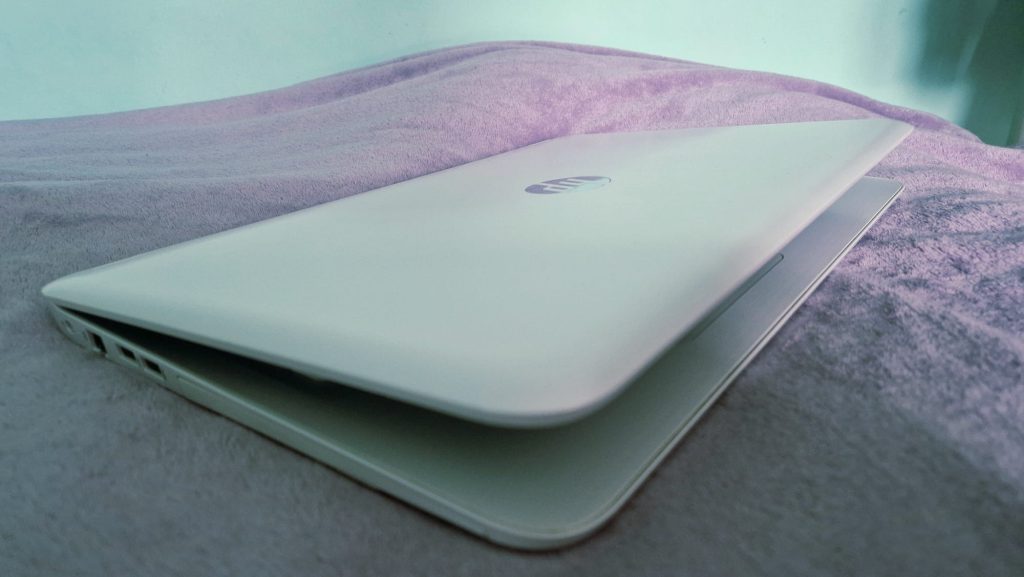
Recently, I picked up an HP Pavilion 15-ak085na on eBay auction for just £55. The catch? It was listed as “spares & repair” due to a dead battery and dead slow performance. Risky? Absolutely. But sometimes those are the most rewarding projects. Let’s have a look at the spec:
- 15.6” Full HD display
- 2TB Samsung HDD
- Intel Core i7-6700HQ (quad-core, 2.6 GHz base / 3.5 GHz boost)
- 8GB RAM
- DVD reader & SD card slot
- Intel HD Graphics 530
- Windows 11 (64-bit)
First Impressions & Performance Check
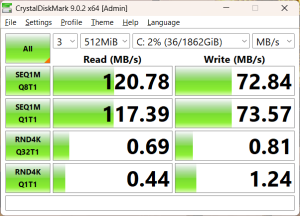
The time has come to check our new acquisition as the courier left it on my doorstep without knocking on my door… But that’s a story for another time. Cosmetically, it was in decent condition—no major scratches, a clean screen, and only minor wear on the keyboard. Powering it on revealed the real issue: it was painfully slow. Booting into Windows took several minutes. Looking at the task manager, as expected, our bottleneck is HDD. Pairing one of the fastest processors (Back in 2015) with spinning disks is a true crime in laptop tech. The HDD was pinned at 100% usage almost constantly, while the CPU and RAM sat mostly idle.
Shopping Time
Time for some shopping and since we are working on a used laptop, we might as well try our luck on eBay auctions:
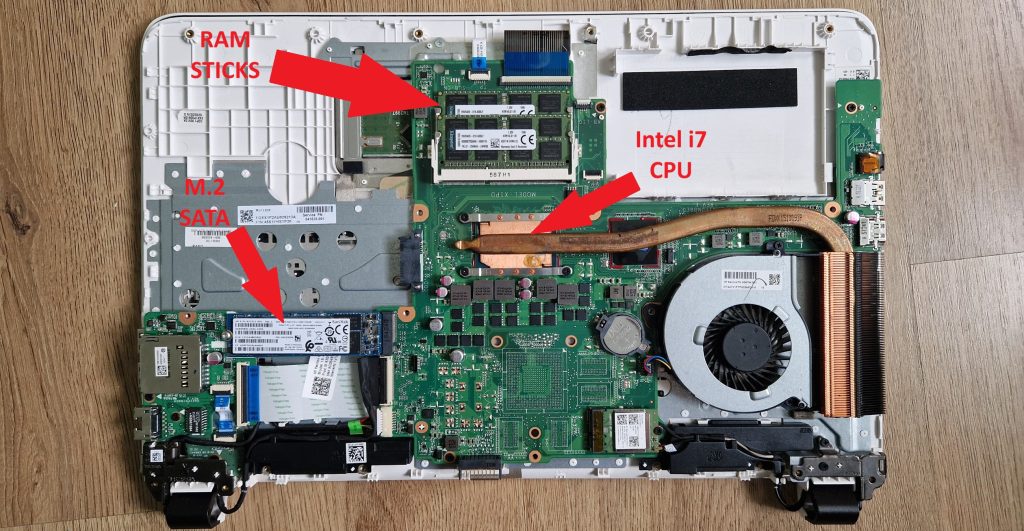
SSD 256GB SanDisk X600 SATA M.2 2280 (£14) – Starting with the most important as this should fix our performance issues. Won at auction for only 14 quid, a true bargain. And yes I was surprised as well that the motherboard got a M.2 connection. The only shame it’s SATA type and not NVMe.
RAM 16GB 2x8GB DDR3L Kingston KVR16LS11/8 (£24) – We might improve RAM as well for resource-intensive tasks. Same as before won at auction for a not bad price. This Kingston RAM is high-performance & low-voltage. Should be a good fit for our laptop.
ARCTIC MX-4 Thermal Compound (£0) – A quick clean and repaste goes a long way. The price is 0 as I have some leftovers from the last project.
Replacement Battery K104 2600mAh 4 Cell (£17) – Original battery from HP is no longer available. Replacement battery will work just fine it just needs to be compatible and remember to buy from a reputable seller. My advice is to avoid ultra-cheap listings under ~£12.
Upgrade & Results
Swapping the HDD for the SSD, installing new RAM, cleaning the internals, and reapplying thermal paste took under an hour. The biggest challenge was not to break little clips on an old plastic laptop casing.
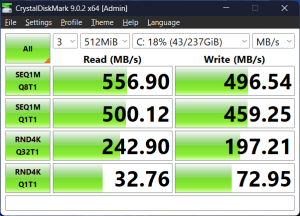
A fresh Windows install later and the difference was night and day. Swapping the HDD with an SSD completely transformed the experience.
- Boot time: ~14 seconds
- System responsiveness: fast and smooth
- Benchmark: 4112 points in Cinebench R23
Final Thoughts
Overall a success, for just over £100, I now have a perfectly capable machine for everyday tasks—web browsing, office work, and light development. Even better, it’s one less device heading to landfill.
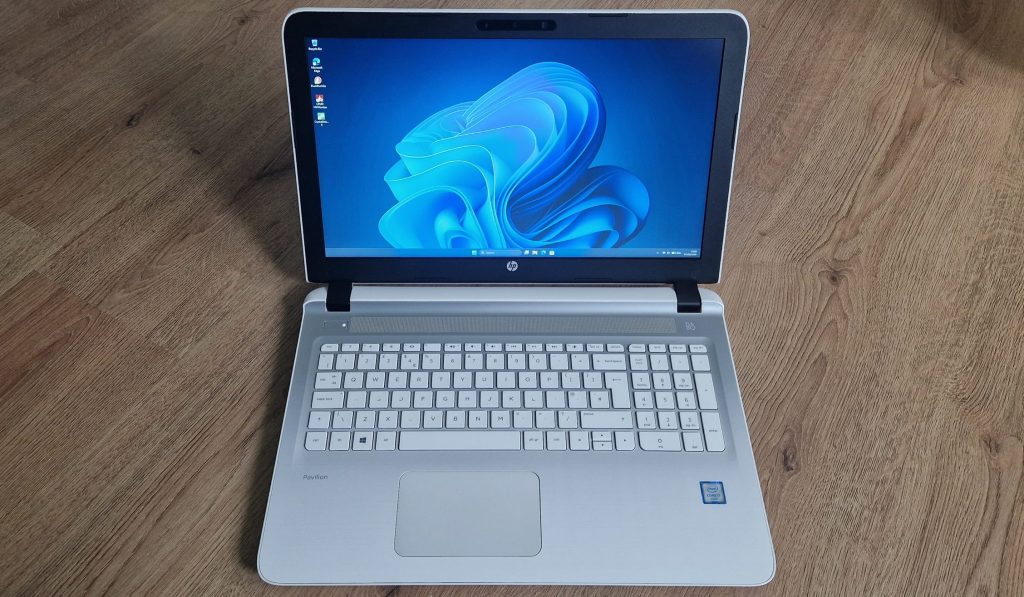
Old hardware still has plenty of life left – sometimes it just needs the right upgrades.
Final detailed spec list:
- CPU Intel Core i7-6700HQ Quad-core 2.6 GHz base 3.5 GHz boost
- RAM 16GB 2x8GB DDR3L Kingston KVR16LS11/8 (high-performance & low-voltage 1.35V)
- SSD 256GB SanDisk X600 SATA M.2 2280
- GPU Intel HD Graphic 530
- Display 15.6″ Full HD 1920×1080 LED-backlit IPS anti-glare screen
- HP DVDRW SU208HB – Multi-format recorder for CDs and DVDs | DVD+R/RW, DVD-R/RW, CD-R/RW, and DVD-RAM
- Windows 11 (64-bit)
- Bang & Olufsen Laptop Speakers
- Battery K104 2600mAh 4 Cell